
If index-controlled parts of the website such as news or resources are not displayed correctly or at all, it's likely due to a corrupted index. In order to fix you will need to rebuild them.
1 Answers
To fix the indexes, follow these steps.
Rebuild from back office
In the back office, go to Settings and Examine Management and try rebuilding the indexes. Depending on the site there may be indexes specific to the site such as a Resources index or Event index.
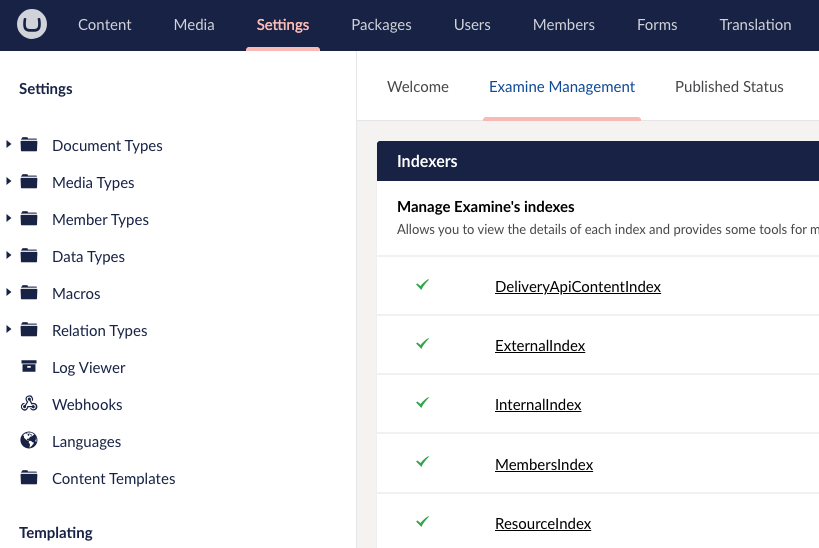
After rebuilding, check to see if the issue is fixed. It's likely that this won't fix it and you'll need to do one of the following.
Delete Indexes
In Umbraco Cloud, go to Kudu Tools for the Live environment.
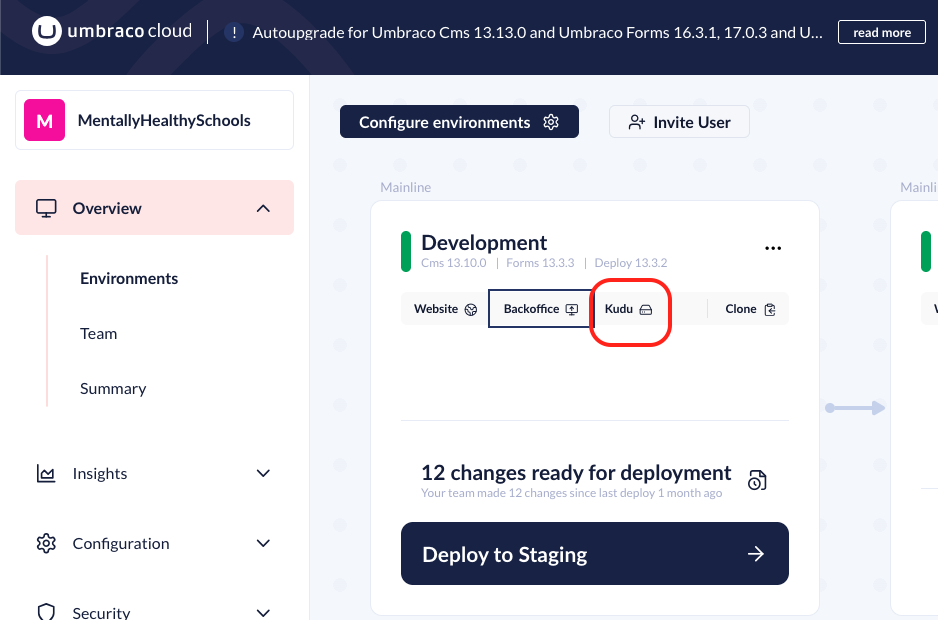
Go to Debug Console > CMD and navigate to site > wwwroot > umbraco > Temp and try to delete the ExamineIndexes folder.
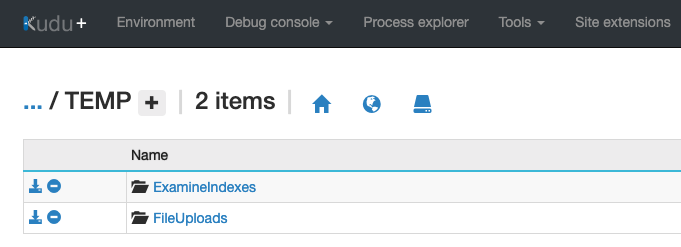
Check the site to see if the issue has been fixed, The indexes can take a few minutes to build so you may need to wait. If that doesn't work follow the next step.
Deleting indexes and restarting
If the problem persists, sometimes a restart is required. Follow the step above and then restart the site from within Umbraco Cloud.
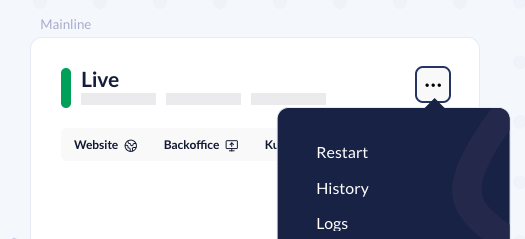
Once the site has restarted it could take 5-10 minutes for the site to fully index depending on the size and number of indexes.
Related